Meet DexoryView Inspect

An extra pair of eyes for health and safety, on every aisle, every day

Every number in your warehouse is measured. Stock accuracy, fulfilment speed, pick rates - all tracked to a decimal place. But the physical condition of your site? Still checked by eye. Sampled. Subject to gaps.

DexoryView Inspect shows you the safety and hygiene conditions of your site including rack damage, tipping items, pallet damage and more. You get a timestamped, location-level record of what was clear and what wasn’t. Your walk goes to the locations that need you.

Now you can know what was clear, what was flagged and what was fixed, location by location.

‍

See DexoryView Inspect in action
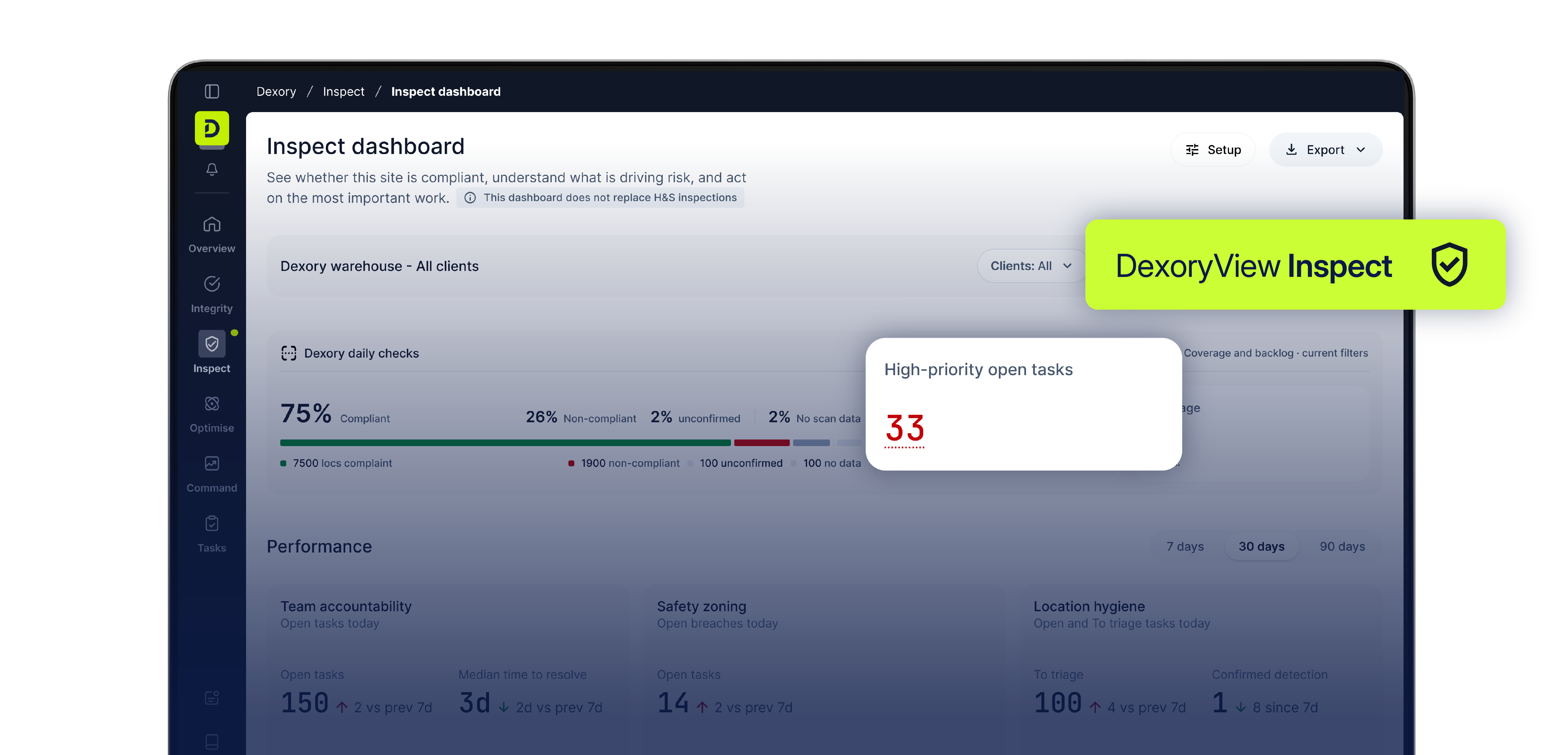
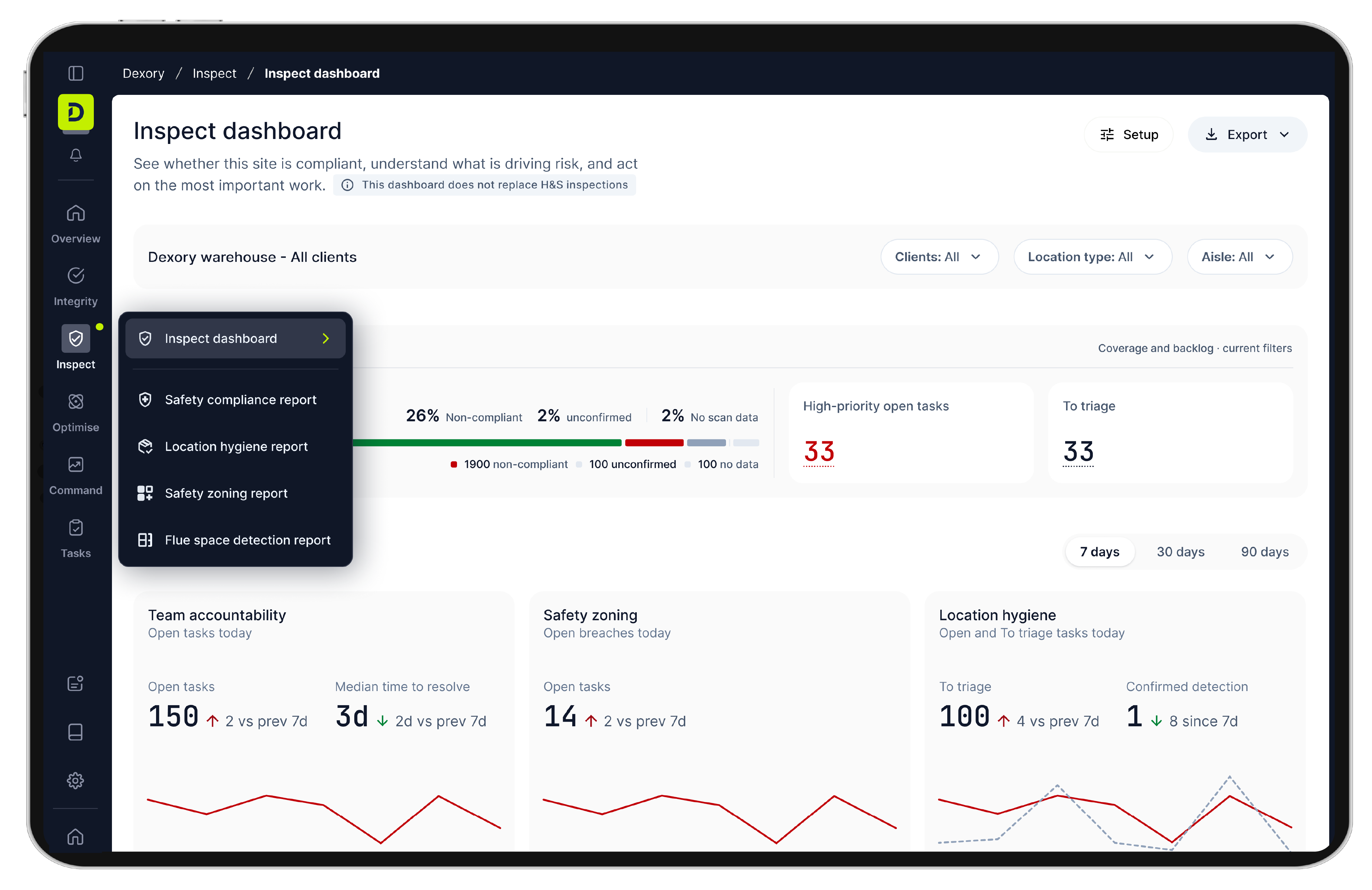
Screenshot of the Dexory Inspect dashboard displaying compliance status with 75% compliant, 26% non-compliant, and 2% unconfirmed checks, highlighting 33 high-priority open tasks, and showing sections for team accountability, safety zoning, and location hygiene performance.
Dashboard interface of DexoryView Optimize showing warehouse optimisation data including outbound optimiser, slotting verification, consolidation planner, replenishment optimiser, and congestion analysis. The dashboard displays key metrics: 3,231 fast movers in prime locations, 1,323 slow movers, and 998 empty prime locations, with a prime locations breakdown of 525 total, 367 occupied with fast movers. Overlay cards show inventory accuracy at 99%, a 16% increase from last month, and misused space at 12%, a 6% increase.

🏆 Winner - Best New Innovation, 2026 MHI Innovation Awards
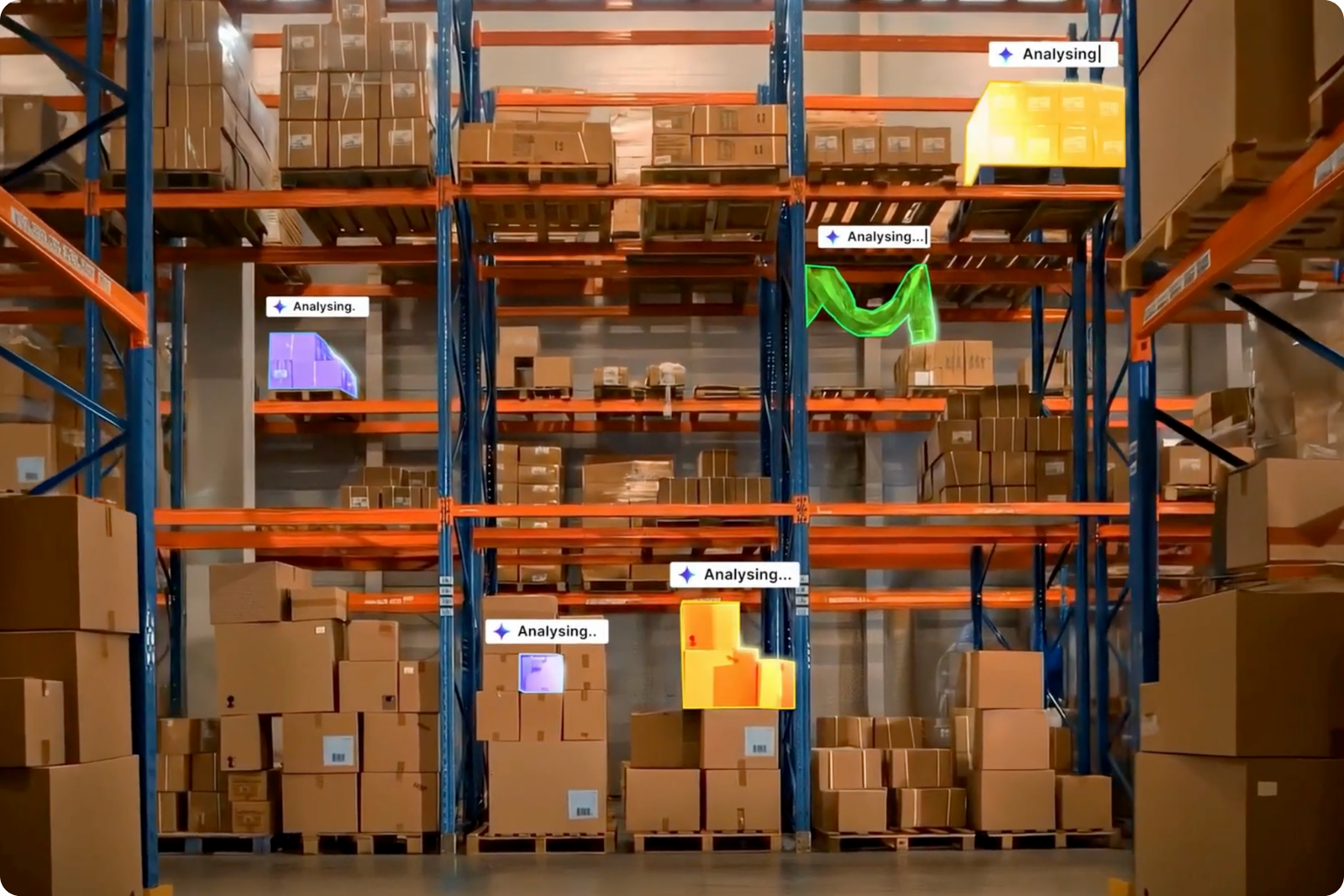
Get 360° safety and hygiene intelligence, top to bottom, wall-to-wall

DexoryView Inspect runs during the autonomous scan already covering your warehouse - flagging rack damage, pallet damage, zoning breaches, and hygiene issues the moment they appear. The record exists before anyone asks for it.

Features that power DexoryView Inspect

‍

Safety compliance

‍

Location hygiene

‍

Safety zoning

‍

Flue space breach

‍

Compliance dashboard

‍

Deep dives
Task manager

Spot rack and pallet damage the walk can miss

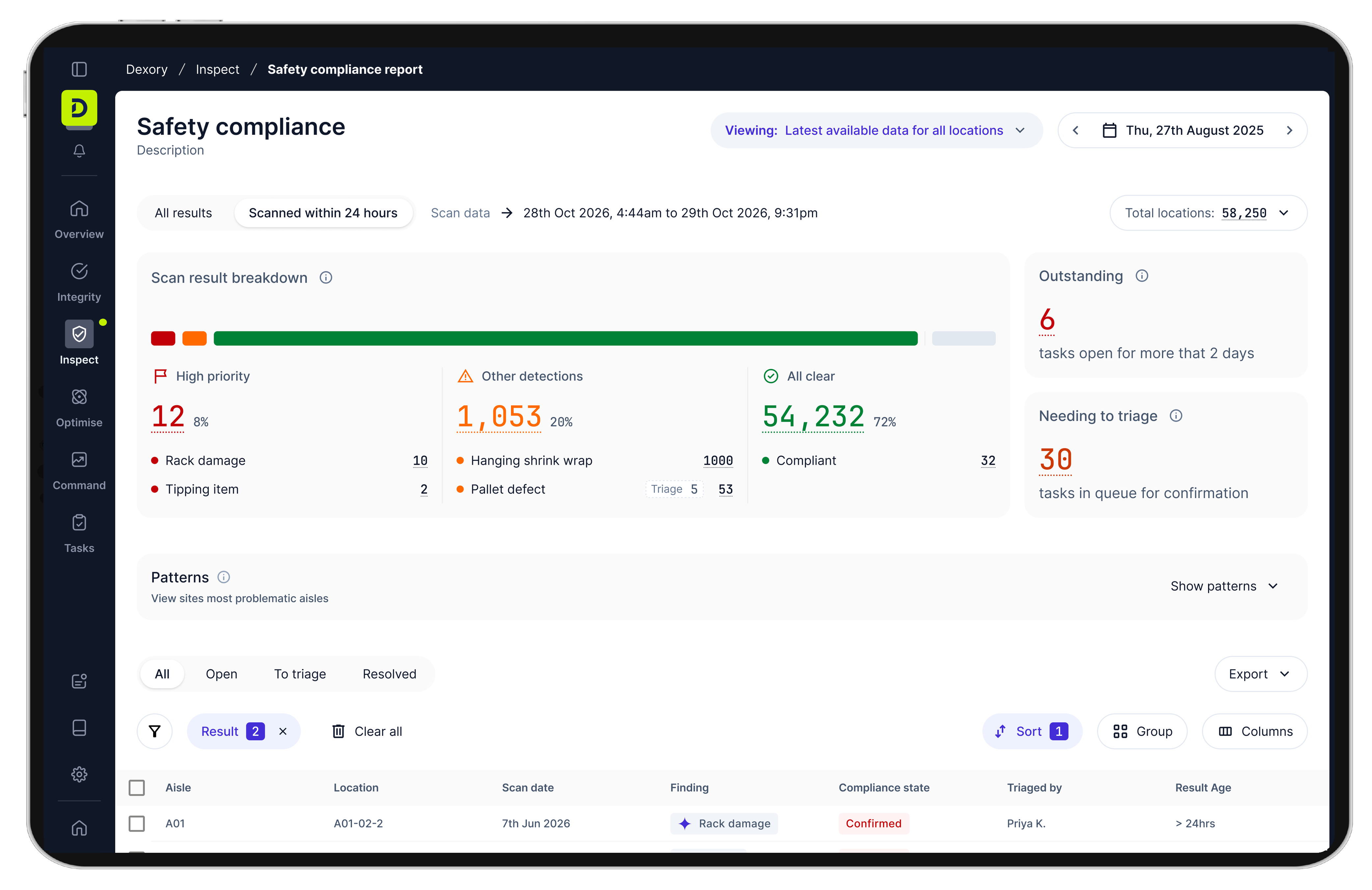
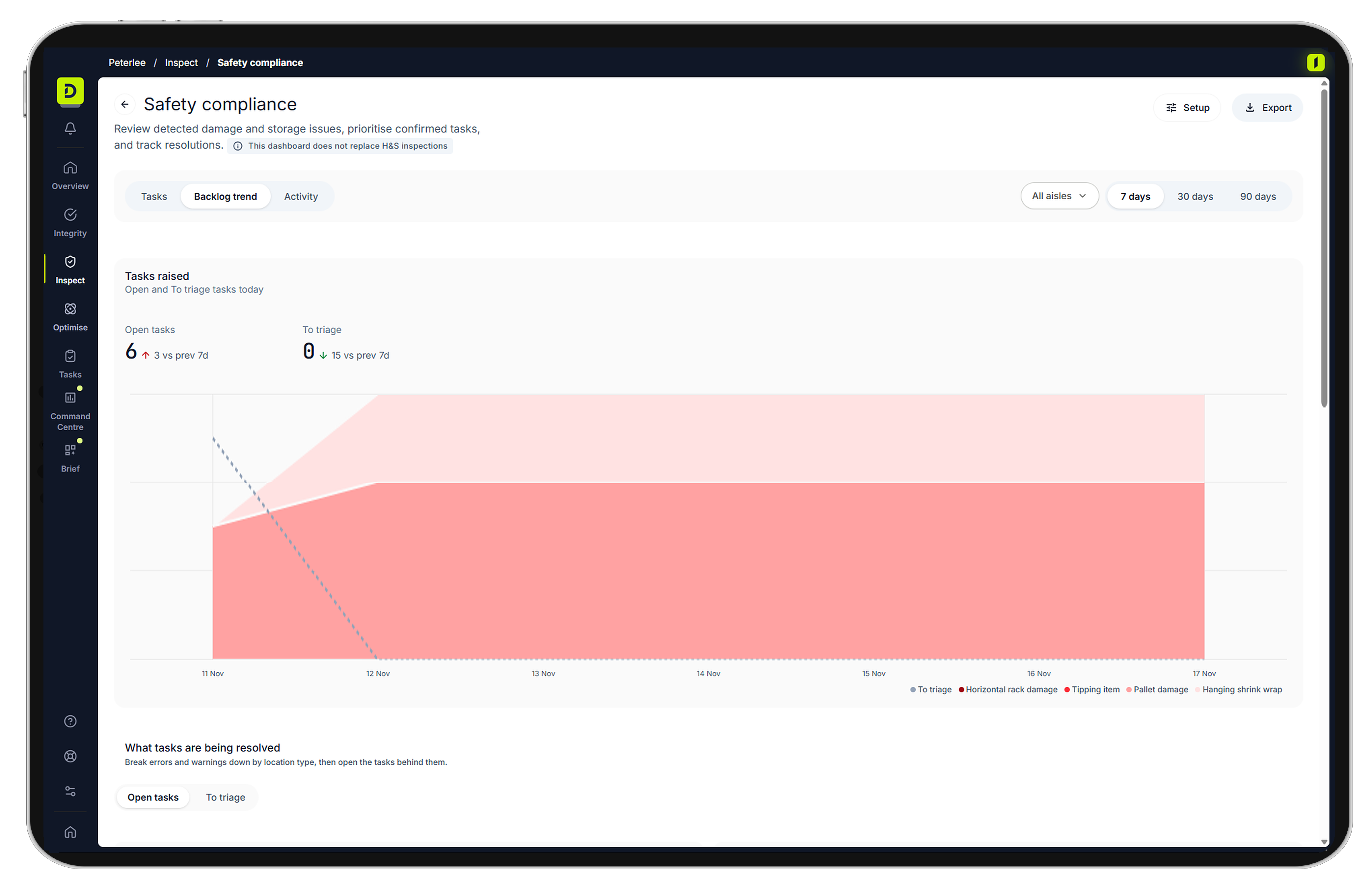
Safety compliance checks every scanned location, every day, for rack damage, pallet damage, tipping items and hanging shrink wrap. Each flag arrives as a task with a photo and the priority you set. Your team confirms or dismisses it, then follows it through to resolution.

We're not replacing the walk. We're replacing the sample.

Know where the empty pallets and damaged items are

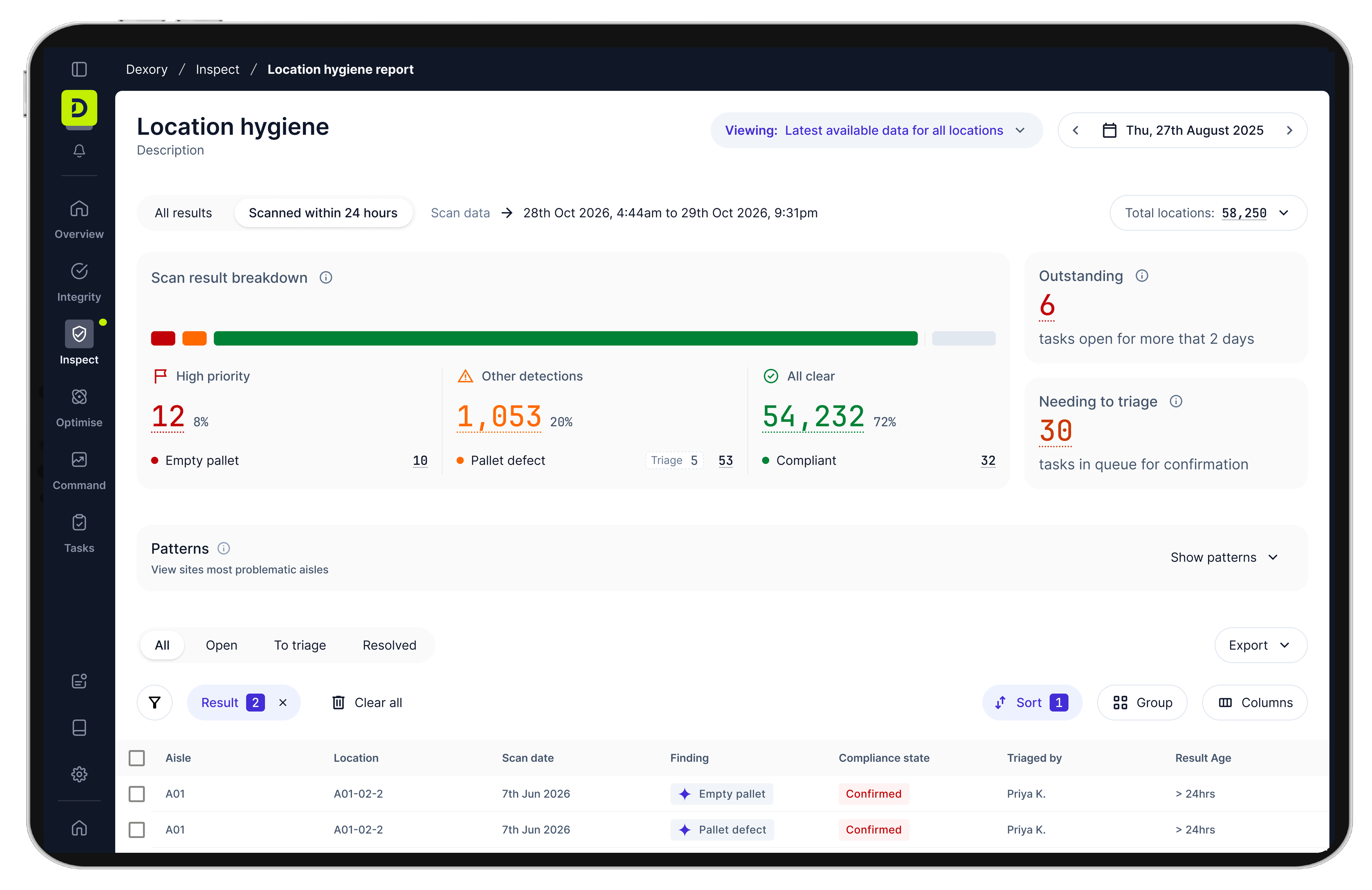
Location hygiene flags empty pallets and damaged items, with a photo and a location. Your inventory and quality teams review each flag in the same task list as their stock work. Set the priority for each detection type and filter to what matters.

Check stock against your zoning rules on every scan

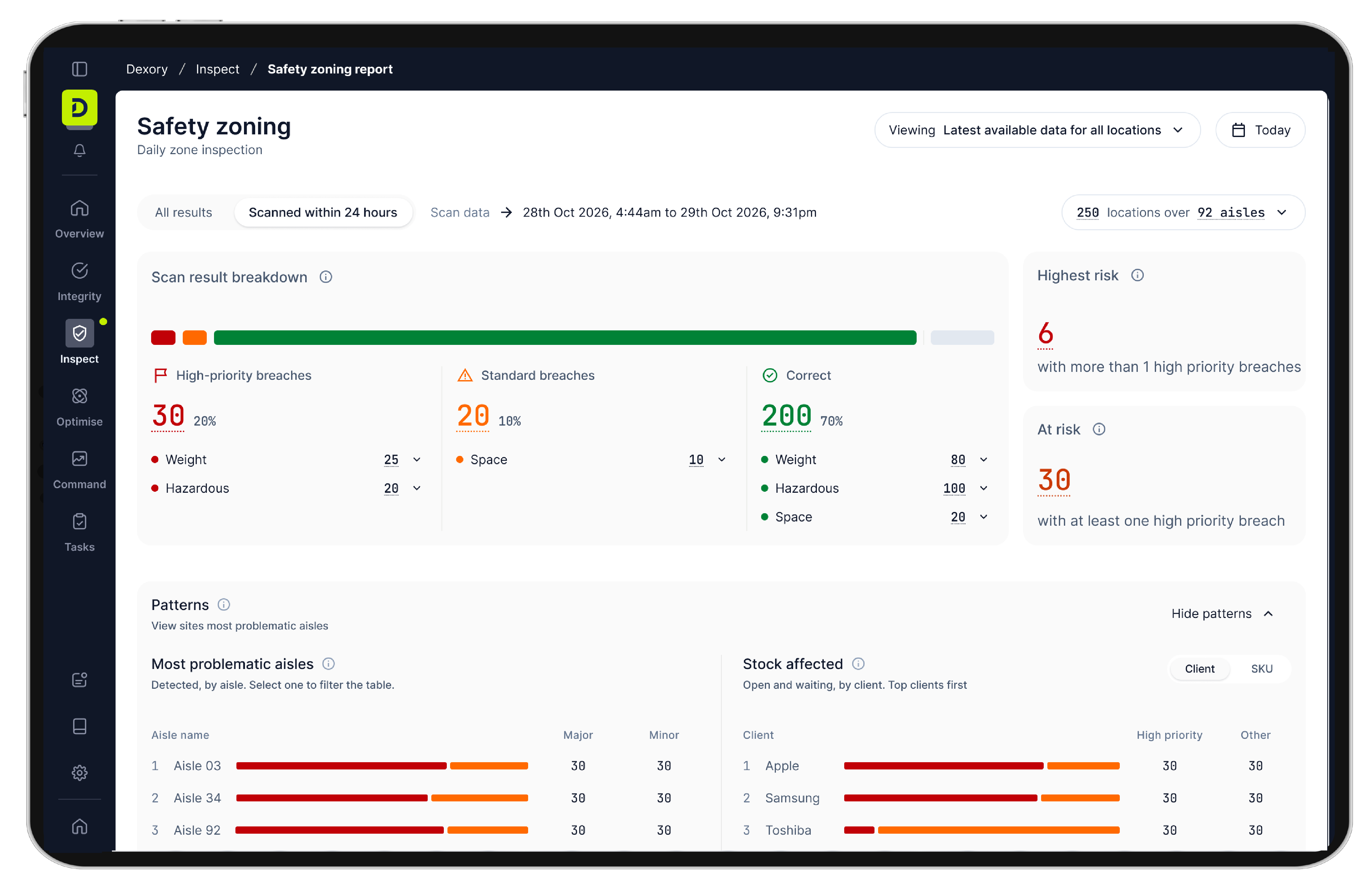
Safety zoning compares what's stored where, against your rules for hazardous goods, weight limits and space. Any breach becomes a prioritized task with a photo and a location. You set the rules. Inspect checks every scan against them.

Know which flue spaces need you today

Flue space breach checks transverse flue spaces (the gaps between side-by-side pallets) at every mapped location. Each breach becomes a prioritized task with a photo, a timestamp and a precise location.

Check every scanned rack location for safety and hygiene issues

The compliance dashboard gives you a location-level view of everything found, cleared and resolved. See which locations have open tasks, which have none and which couldn't be scanned. Export as PDF, CSV or Excel for your management meeting or next audit. 3PL sites can filter by client where segmentation is on.

See the patterns behind your safety issues

Deep dives show which issue types come up most, such as rack damage and tipping items, and where they cluster. See the main contributors, how each issue was resolved and how long it took. Your H&S team spots trends early and puts its effort where it makes the most difference.

See who owns each task and what's still open

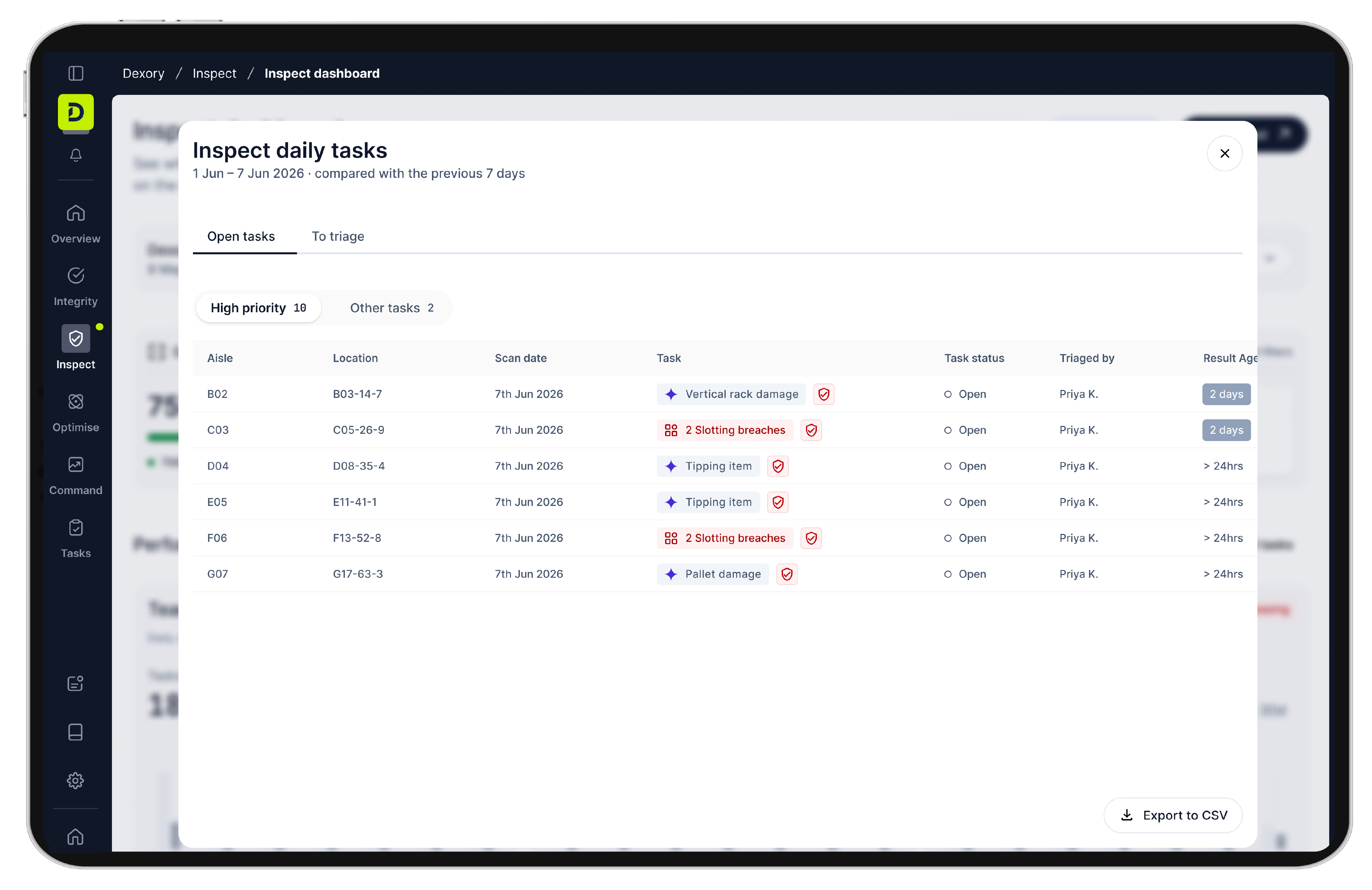
Every flag route into Task manager, the platform your team already uses. Each task has an owner, a priority and a deadline. H&S and operations managers see who picked up which task, what's overdue and how long each one took to close. No new device, no new system. Every action is tracked to completion.

Why DexoryView Inspect?

You can’t walk every aisle every day. The ones you miss are where small problems become incidents and audit findings. DexoryView Inspect checks every location the robot scans, every day, and flags potential issues for your team to review.

Your inspection process stays in place. It just stops depending on what someone happened to see.

Book a demo
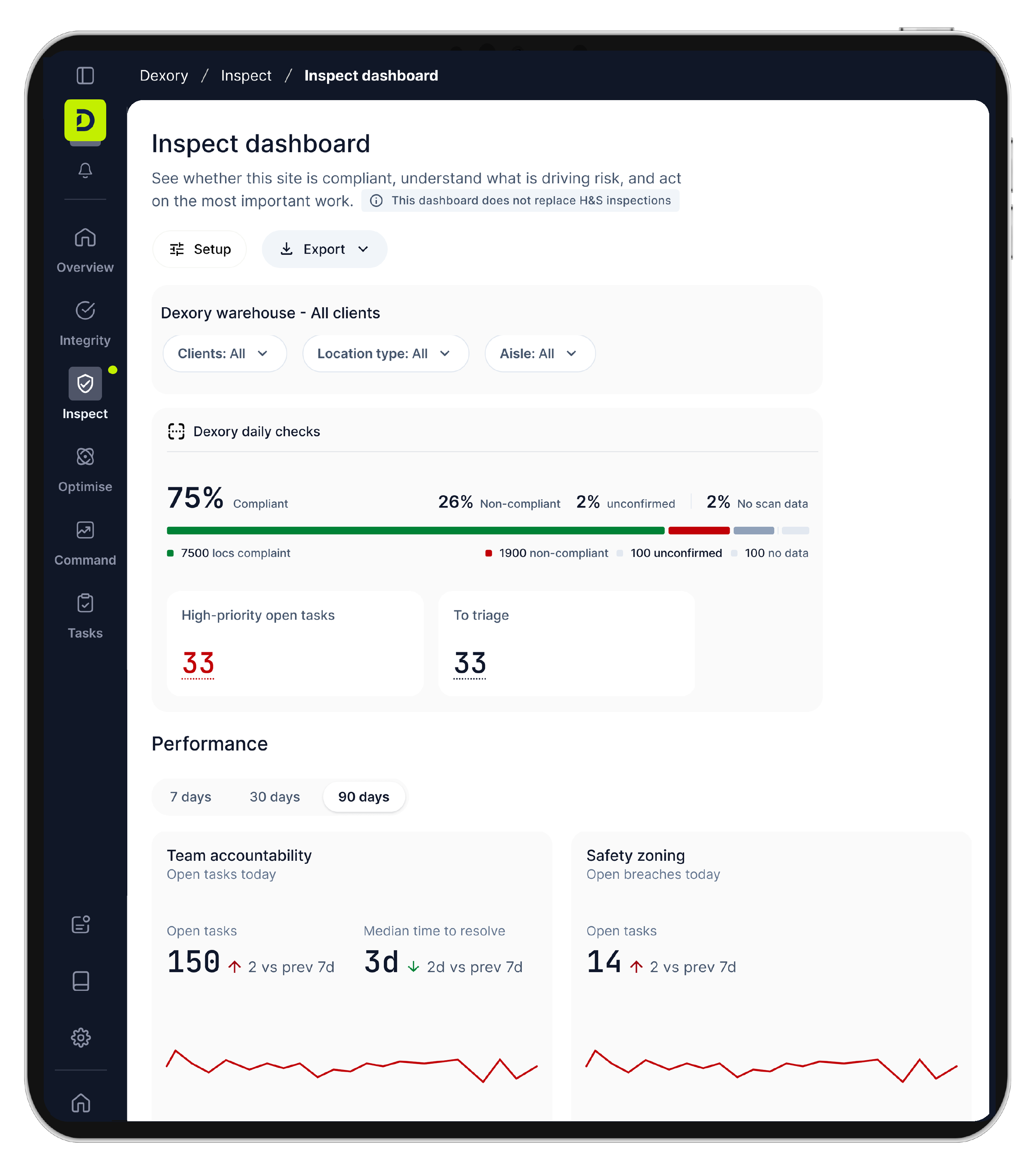
Inspect dashboard showing compliance and task performance for Dexory warehouse, with 75% compliant, 26% non-compliant, and 2% unconfirmed daily checks. Displays 33 high-priority open tasks and 33 tasks to triage. Performance metrics for 90 days include 150 open tasks for team accountability and 14 open tasks for safety zoning, both with trend indicators and line charts.
Scan Icon

Close issues out in one place

Spend your time fixing issues, not chasing them. Your team reviews each flag, confirms or dismisses it, assigns it and marks it resolved. You can see what needs attention, what’s fixed and what’s still open. It all sits alongside your operational work, with no new system or device.

Search Icon

See the aisles you didn't walk

Manual rounds and spot checks only cover so much. Inspect checks every scanned location so coverage doesn’t depend on where someone happened to look. Potential issues are flagged for your team to review. The walk still happens, but it starts from a list, not a search.

Warehouse building icon

Know who owns every fix

Every issue has an owner, a timestamp and a photo. See which tasks your team picked up, which are overdue and who closed them. Accountability is built into the record.

Scan Icon

See where issues keep coming up

Each issue on its own tells you what to fix today. Together they show where problems concentrate. The dashboard highlights the aisles with the most issues and how long they take to resolve, so you know where to look first.

Close the visibility gap. Know what needs attention, who owns it, what's fixed and where issues keep coming back.